


Truepic Vision
3.0282.00 Reviews
App Specs
- Version
- 4.1.4
- Updated On
- License
- Free
- Downloads
- 500,000+
- Developer
- TRUEPIC Inc.
- Categories
- Photography
- Platform
- Android
Screenshots
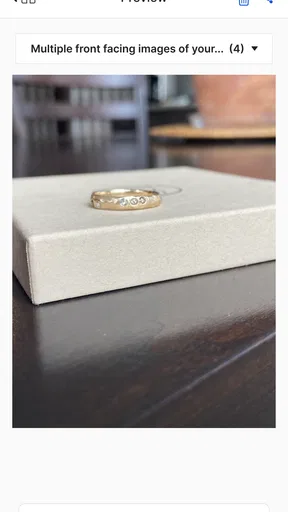
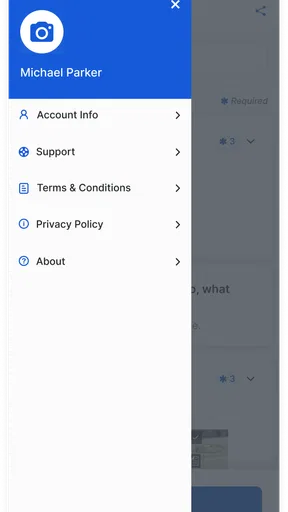
 Analysis by AppCompare
So, I recently got my hands on Truepic Vision, and let me tell you, it’s quite the ride. I’ve been dabbling with it for a few days, and I’m ready to spill the beans on what this app is all about. Spoiler alert: it’s pretty cool!
Where trust matters more than camera filters
Truepic Vision is a photography app from TRUEPIC Inc., but it serves a different purpose from the camera apps most of us use for family photos or social posts. Its focus is capturing visual evidence for situations such as inspections and claims. That distinction matters: it is less about editing a picture until it looks its best and more about creating an image that another person can assess with confidence.
I can see the appeal for someone documenting a damaged appliance, a vehicle, or a room before work begins. A regular camera roll is convenient, but it leaves the recipient to take your word for when and how a picture was made. A verification-focused workflow is more suitable when the image needs to support a decision, not just show what something looked like.
The app is free and rated for Everyone. It has a 3.0 average from around 1.4 thousand ratings, with about 282 written reviews, so the public response is mixed rather than an obvious endorsement from everyone who tried it. It has passed half a million installs. Those figures do not tell me whether it will suit a particular claim or inspection, but they are a useful reminder to approach it as a specialized tool and judge it against your own workflow.
What is Truepic Vision?
Alright, let’s get down to brass tacks. Truepic Vision is this nifty little app that’s all about providing secure photo and video authentication. Picture this: you need to verify that a photo is legit and hasn’t been tampered with. That’s where Truepic Vision comes in. It’s like having a little detective in your pocket.
The app’s designed for a range of uses, from insurance claims to real estate, and even journalism. Basically, any scenario where authenticity is key. And trust me, in today’s world, that’s a big deal.
Getting started, and what to check first
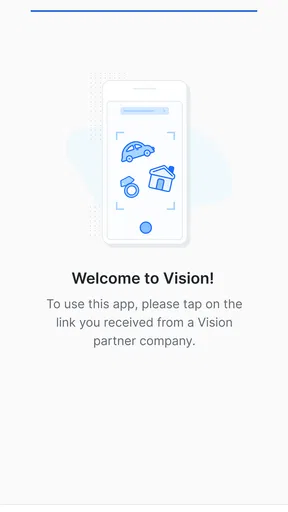
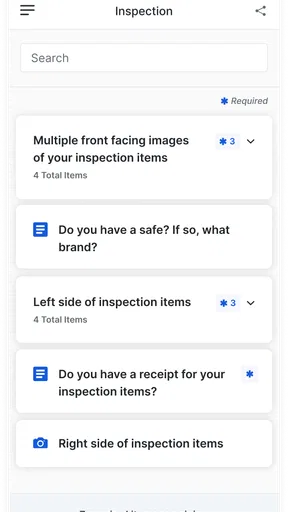
So, first things first, downloading and setting up the app was a breeze. It’s available on both Android and iOS, which is super convenient. Once installed, you’re greeted with a clean and intuitive interface. No fuss, just straightforward functionality. I love it when an app doesn’t make me work hard just to figure it out!
Worth Reading Before You Choose

Flipboard Shows What News Apps Must Do Beyond the Feed

Switching to Android Auto Means Rethinking Your Driving Routine

Google Calendar Makes a Crowded Week Easier to Manage

Ludo King Makes the Most of the Minutes Between Plans

Baby Panda World Brings Quick Play to Modern Phones, but Its Game Library Feels Busy

ESPN’s Live Game View Makes Following Close Games Easier
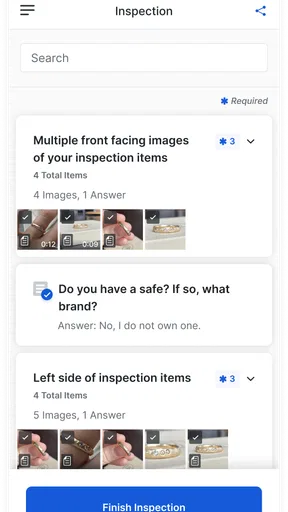
After signing up, you’re ready to start creating verified photos and videos. The app guides you through the process, ensuring each capture is secure and reliable. It’s as simple as point, shoot, and verify. The app uses advanced technology to provide metadata and a secure blockchain-based verification. Fancy, right?
That sign-up step is worth considering before you are standing in a hurry with a claim to document. I would install and open the app before an inspection, then confirm that I can get through the capture flow and understand what it asks me to do. For a time-sensitive task, discovering a setup hurdle only after the damage has happened is a poor trade-off. If you are helping a family member or a less confident phone user, walking through the process together beforehand can also make the actual capture less stressful.
For a useful record, I would plan the shots rather than simply point the camera at the most dramatic detail. Take a wider view that establishes where the issue is, then closer views of the damage, and include an ordinary reference point when scale matters. A verified close-up may show a crack clearly but still leave an assessor unsure which window or appliance it belongs to. This is a practical distinction between evidence that is authentic and evidence that is easy to interpret.
Capture and verification in practice
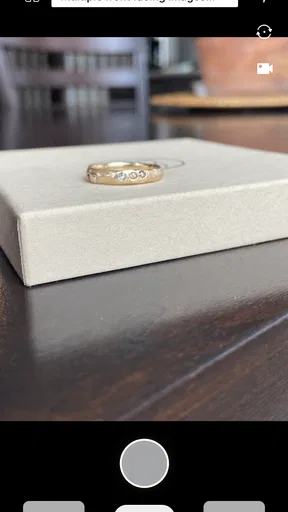
Okay, let’s talk features because Truepic Vision has a few tricks up its sleeve. For starters, the app has a live capture mode that ensures the image or video you’re taking is captured in real-time. No uploading old photos here! The app also locks location data, time, and device information to ensure everything is on the up and up.
One feature that really caught my eye is the tamper detection. After capturing, Truepic Vision analyzes the photo or video for any signs of manipulation. If anything’s amiss, the app will let you know. It’s like having a personal photo bodyguard.
And for those who need to share their verified content, the app provides secure sharing options. You can send a link with all the verification details attached. It’s perfect for when you need to prove authenticity to a third party.
For a homeowner, a realistic use might be a leak discovered after work hours. I would use the live capture flow to record the affected area while it is still visible, then make a separate view of the room so the close-up has context. If the recipient needs to review the material, the shareable verification details can make the handoff more purposeful than sending a handful of camera-roll images in a message. The practical win is not that the app settles a claim by itself; it is that it can help make the visual record easier to evaluate.
That workflow also has a trade-off: the requirement to capture live is useful when the point is to document what is in front of you, but it is inconvenient if the only evidence you have is already in your gallery. A normal photo app is better for organizing and editing existing pictures; Truepic Vision is aimed at a different job. I would not assume that a verified capture automatically guarantees approval, replaces written descriptions, or removes the need to follow an insurer’s or inspector’s instructions. It supports evidence collection, while the recipient still makes the decision.
Privacy, permissions, and control at the moment of capture
Location, time, and device details can strengthen the context of an image, but they are also the details I would think about before using a verification tool. If you are photographing inside someone else’s home, a workplace, or a sensitive location, pause to consider whether the image and its contextual information are appropriate to share. Ask permission when it is someone else’s space, and keep the framing focused on the issue rather than capturing unrelated people, documents, or personal belongings.
I would also treat a shared verification link like evidence, not like a casual photo. Send it only to the person or organization that needs it, and avoid posting it publicly if it contains information about a private space or a claim. Before sharing, check that the selected images show what you intend them to show. A close-up can accidentally reveal an address label or a personal item at the edge of the frame, even when the main subject is a damaged wall or vehicle.
The app’s version is 4.1.4, and it requires Android 9 or later. Those details are useful when deciding whether an older phone can be part of an inspection workflow. In practice, I would also make sure the device has enough battery and a working camera before leaving for a site visit. A verification app cannot help if the phone is nearly dead or the lens is obstructed, so a quick check of the camera and a clean lens are small but worthwhile preparations.
Who benefits, and when a regular camera is better
You might be wondering, "How does this app fit into my daily grind?" Well, if you’re in an industry where proof of authenticity is required, this app is a game-changer. Imagine you’re settling an insurance claim, and you need evidence of damage. With Truepic Vision, you can provide photos that are indisputable. No more back-and-forth with the insurance company.
It’s also fantastic for journalists who need to authenticate their images to maintain credibility. In a world where fake news spreads fast, having a tool that verifies your work is invaluable.
I would be more measured about calling any photo indisputable. A verified capture can help establish how an image was made, but it cannot by itself prove the whole story behind what the image depicts. For journalism, that means it can be one part of a careful reporting process, not a substitute for checking sources, context, and what happened outside the frame. For property or insurance work, clear captions and a sensible set of views may still matter alongside the capture itself.
Compared with an ordinary phone camera, the main distinction is the emphasis on a live, reviewable capture rather than broad creative control, filters, or polishing a gallery image. Compared with simply emailing pictures, the verification details are the point; compared with a full claims or inspection service, the app is only the visual evidence part of the task. I would choose it when the recipient values the authenticity of new images. I would choose the regular camera when I need to edit older photos, make a quick personal snapshot, or keep a flexible album without a verification workflow.
It is best suited to people who have a specific reason to document a condition and a recipient who can use verified material: claimants, inspectors, property professionals, and reporters are plausible examples. It is less compelling for someone who only wants a general-purpose camera, or for a user who does not need to prove when a photo was captured. If you are unsure whether an organization accepts this kind of evidence, checking its preferred submission process before relying on the app is the sensible move.
A cautious verdict for evidence-focused use
All in all, Truepic Vision is a solid app that does exactly what it promises. It’s reliable, easy to use, and packed with features that bring peace of mind to anyone needing to verify visual content. Whether you’re in insurance, real estate, media, or just someone who values authenticity, this app is worth checking out.
So there you have it! My take on Truepic Vision. It’s an app that’s definitely earned its spot on my phone. If you’re curious to see what it can do for you, give it a whirl. Who knew verifying photos could be this simple and effective?
My recommendation is conditional: I would keep it in mind for a job where live visual evidence is genuinely useful, but I would not install it expecting a better everyday camera. Before using it for a consequential inspection, confirm the recipient’s instructions, test the capture and sharing steps, and frame images so a stranger can understand both the detail and its setting. That preparation makes the tool more useful without asking it to prove more than a photograph can.
Pros
- Highly intuitive user interface.
- Real-time image verification.
- Secure cloud storage options.
- Supports multiple file formats.
- Easy integration with other apps.
Cons
- Limited offline functionality.
- Requires strong internet connection.
- Subscription may be costly.
- Occasional slow upload times.
- Limited customization options.
FAQs for Truepic Vision
What is Truepic Vision and how does it work?
Truepic Vision is a cutting-edge app designed to verify the authenticity of images. It uses blockchain technology to certify and timestamp photos, ensuring they haven’t been altered. This makes it invaluable for industries requiring proof of authenticity, such as insurance and journalism.
Is Truepic Vision available for both Android and iOS?
Yes, Truepic Vision is available for download on both Android and iOS platforms. Users can access the app via the Google Play Store or Apple App Store, making it widely accessible for a variety of mobile devices.
What are the main features of Truepic Vision?
Truepic Vision offers several key features, including image authentication, secure cloud storage, and easy sharing options. Users can also enjoy a user-friendly interface that allows them to capture, verify, and share images effortlessly. The app’s integration with blockchain ensures high security and reliability.
Are there any costs associated with using Truepic Vision?
Truepic Vision offers a range of pricing plans to accommodate different user needs. While there might be a free version with limited features, premium plans with more advanced functionalities might require a subscription fee. It’s best to check the app’s pricing details for the most accurate information.
How secure is the data stored in Truepic Vision?
Data security is a top priority for Truepic Vision. The app uses advanced encryption and blockchain technology to protect user data. Photos are securely stored in the cloud, ensuring they remain intact and tamper-proof. Users can have peace of mind knowing their data is well-protected.


